Create QR CodesCreate QR CodesSign in

QR code size for print · 11 min read · Updated 2026-08-31

QR Code Size Guide for Print (Menus to Posters)

How big should a printed QR be? Use the 10:1 scan-distance rule, sizes from cards to banners, and a quiet zone so phones lock on in real light.

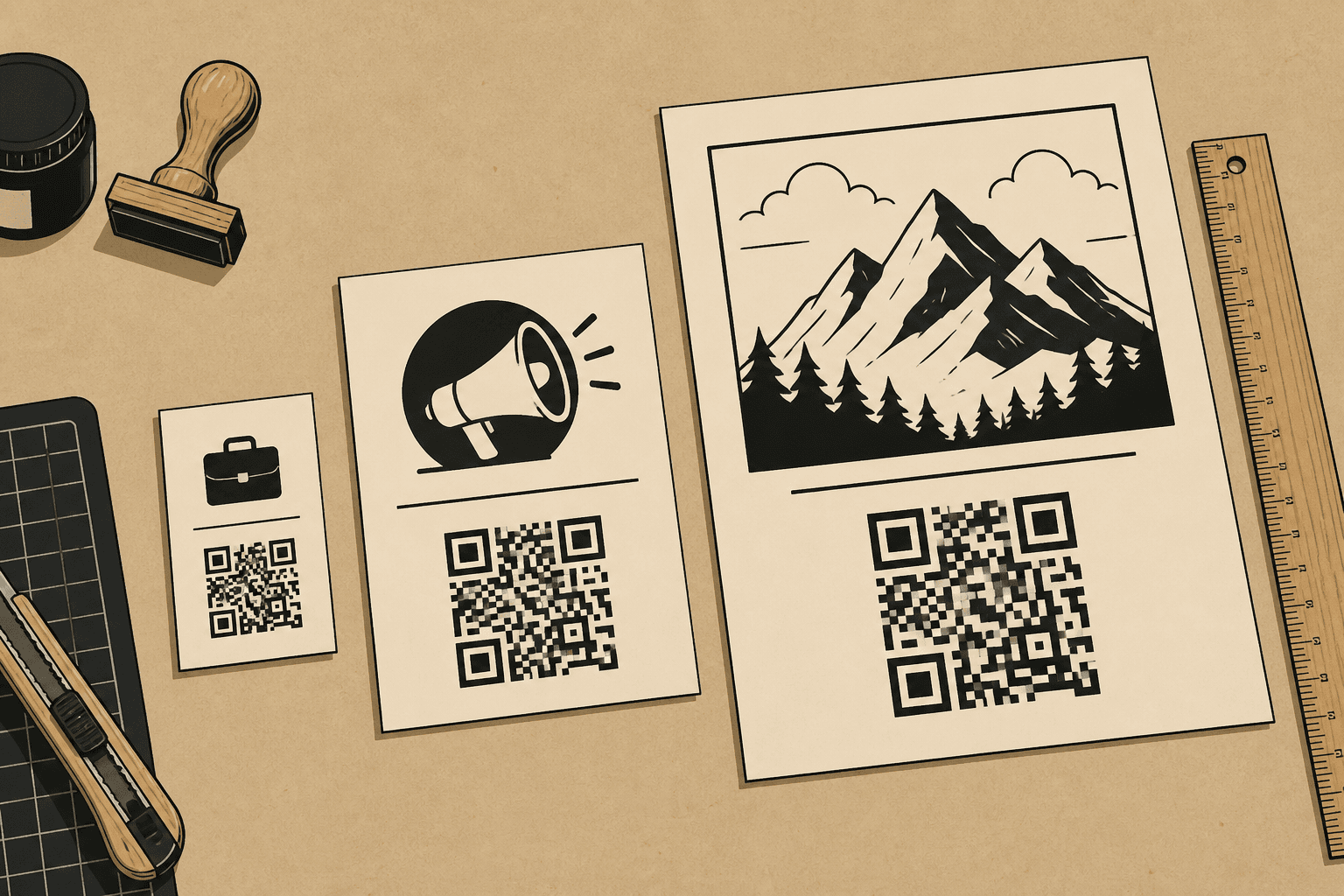
Business card, table tent, and poster with QR codes next to a ruler

You are about to send a file to print. The QR looks sharp on your monitor. That is not a size. QR code size for print is a physical width at a scan distance — how far the phone will be from the paper, vinyl, or glass.

I treat that the same way whether you are a designer handing off a dieline, a print shop preflighting a job, a cafe owner ordering tents, or a marketer booking a window cling. The camera does not care about your artboard. It cares about module size, contrast, and a quiet zone.

The 10:1 rule: width from scan distance

Stand where a real person will hold their phone. Measure that scan distance. Divide by ten. That number is your starting width, not your ceiling.

A card at 20 cm wants ~2 cm by the math. I still print 2.5–3 cm because people scan in hallways, not on a light table. A tent at 40 cm wants 4 cm. A poster at a meter wants 10–15 cm. A sidewalk window wants 15–20 cm. A booth banner at 2–4 meters wants 20–40 cm.

The 10:1 rule is a floor for a clean, high-contrast code on a flat surface. Dense patterns, logos, gloss, rain on glass, and kraft paper all eat contrast. When any of those show up, I go up a size before I add decoration.

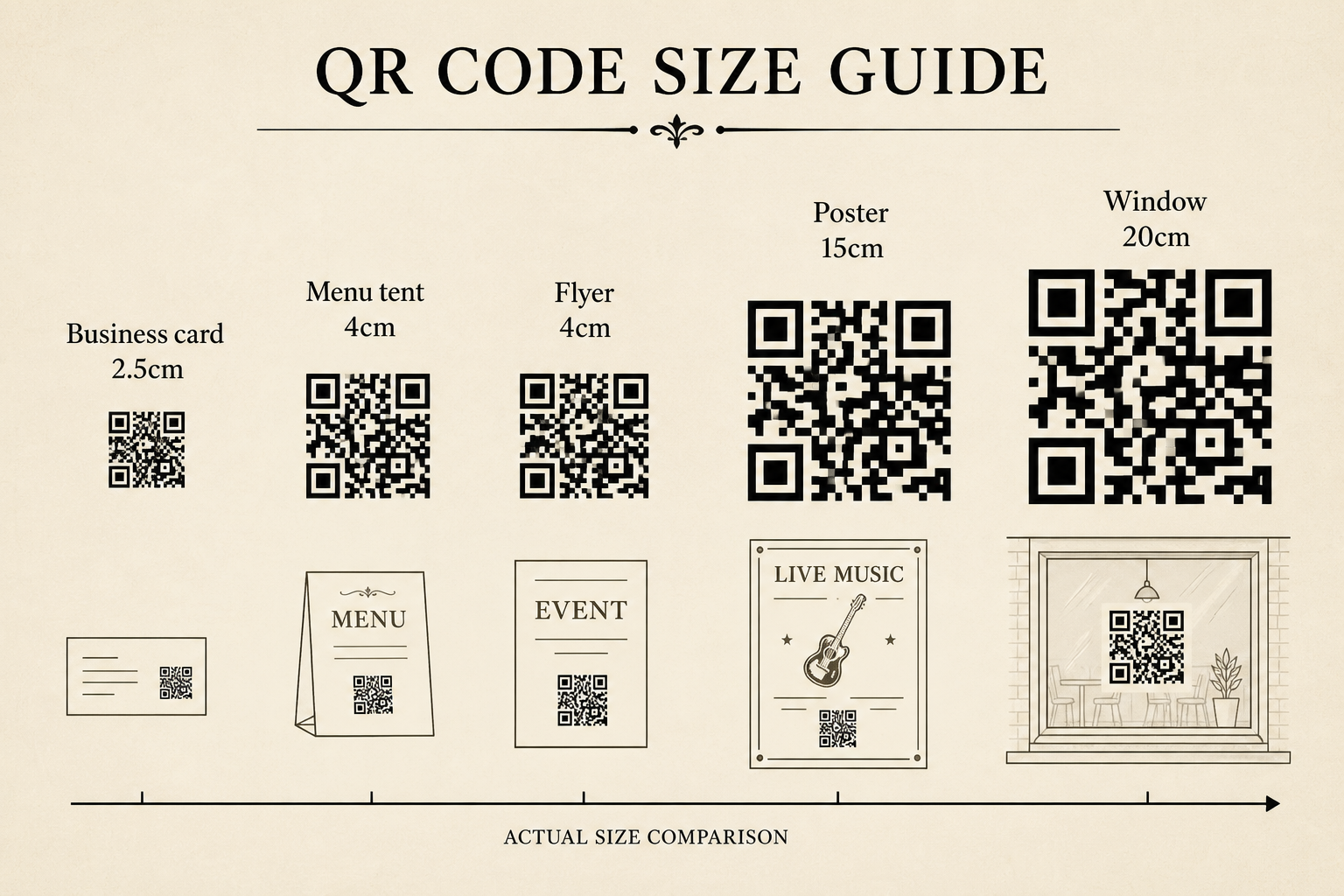
Here is a working QR code size for print chart you can put in a spec or a printer email. Widths are the square itself. Add the quiet zone outside that number so trim does not shave the modules.

Size chart of QR codes for business cards, menu tents, flyers, posters, windows, and banners
Larger scan distance needs a larger printed square. Keep the code square.
SurfaceTypical scan distanceMinimumRecommended
Business card15–25 cm2.0 cm2.5–3.0 cm
Product packaging10–20 cm2.0 cm2.5 cm
Restaurant table tent30–50 cm3.0 cm4.0 cm
Flyer / menu insert30–50 cm3.0 cm4.0 cm
Indoor poster1–2 m10 cm10–15 cm
Storefront window1–2 m15 cm15–20 cm
Banner / booth2–4 m20 cm20–40 cm
Recommended printed width. Keep the code square and add a quiet zone of at least four modules.

Business cards: 2.5–3 cm

A standard card is only 90 mm wide. A 2.5–3 cm code takes real estate. That is the point. A 12 mm mark in the corner looks tidy and does not scan when someone is holding a drink. If you are laying out a card, read the dedicated QR code for business cards notes and do not foil-stamp the modules.

Table tents and menu inserts: 4 cm

Cafe lighting is yellow and low. Guests scan from a seated lean, not from a proofing booth. I specify 4 cm on tents and laminated inserts. Put a plain “Scan for menu” line next to it. If the tent also tries to be Wi‑Fi, Instagram, and tipping, people bounce — one job per square.

Posters 10–15 cm, windows 15–20 cm, banners 20–40 cm

Posters fail when the code is sized for a flyer and then placed on A2. People do not walk up to a wall the way they hold a card. If the expected scan distance is a meter, the square should be about 10 cm at a minimum and 15 cm if the hallway is dim. Windows need more because glass reflects and people stand on a sidewalk. Banners at a booth need 20–40 cm or the code is texture, not a target.

Packaging is closer range, but curves and film are hostile. A flat panel at 2.5 cm is a better default than a tiny code wrapped around a bottle shoulder. Details live in QR codes for product packaging.

Pixels are not print size

A 1024px PNG can be 1 cm or 20 cm on press. The generator’s export is a raster. Your layout decides the physical size. If you drop the file into InDesign or Canva and scale it by eye, you have not specified a QR code size. You have guessed.

Ask the printer for the printed width in centimeters or inches, not “high resolution.” For cards and labels, 300 dpi is a safe raster target. At 2.5 cm (about 1 inch) that is only ~300 pixels across. A 1024px PNG at card or tent size is plenty. At 40 cm on a banner, the same file is about 65 dpi and the modules smear. For large format, export a larger PNG or give the shop a vector.

  • Set an exact width (2.5 cm, 4 cm, 15 cm). Do not “fit to column” and hope.
  • Do not stretch the square. Distortion is a common reason codes fail after a quick layout pass.
  • Do not run a second JPEG save on a QR. For banners, start from a bigger file.

You can create a QR code free in the browser. Hit Download, confirm the email, then pay $1 to download the PNG. Place it at the physical width from the table. The short link inside stays short, which helps the next section.

Quiet zone, contrast, and error correction

Size will not save a code that is cropped, gray-on-kraft, or buried in a photograph. The quiet zone is the blank margin around the square. The spec wants at least four modules on every side. In practice I leave about 10% of the code width as empty space. If your bleed or a logo eats that frame, cameras hunt and give up.

Phone camera locking onto a printed QR code with a clear quiet zone around the square
If the camera cannot find the square, check size, quiet zone, and contrast before you blame the URL.
  • Quiet zone: empty margin, all four sides. Not a patterned paper that runs to the edge.
  • Contrast: dark modules on a light ground. Black on white or cream. Skip gold foil, skip a photo background, skip light gray on kraft.
  • Error correction: level M is a solid default. Use Q or H only if you add a logo or expect scuffs. Higher correction makes a denser pattern, which can force a larger print.
  • Shape: keep it square. Do not italicize, round every module into mush, or wrap it tight around a bottle.

Light-on-dark can work if the contrast is honest. Brand-color-on-brand-color usually does not. If a print shop tells you the varnish plate hits the modules, move the varnish. If marketing wants a logo in the center, enlarge the whole code first, then drop a small mark. Do not steal the quiet zone to make the logo fit.

The more data you encode, the more modules you get. A long campaign URL with tracking junk makes a busy square. At the same physical size, busy squares fail first. A dynamic short link keeps the payload small, so a 2.5 cm card still has fat modules.

That is also why I do not encode the final website URL into a poster I cannot reprint. Use a short link you can edit. How to create a QR code you can edit after printing is the companion: size gets the camera to lock on; a dynamic destination keeps the poster useful when the page moves.

On this site you create a QR code in the browser. The image encodes a short path, not a 180-character UTM string. Download, confirm email, pay $1 for the PNG. Change the destination later. The printed size does not have to change when the campaign does.

Test on the real stock before you print a run

The last step of any QR code size for print job is a proof on the real stock. An office laser on bright white is a flattering liar. Uncoated kraft, soft-touch laminate, metallic ink, and window cling all scan worse than your desktop printer.

  1. Print one copy at the final physical size. Not “close enough” on a letter sheet.
  2. Use the production stock if you can get a drawdown or a digital proof on the same material.
  3. Scan with a recent iPhone and an older Android. One success is not a test.
  4. Stand at the real scan distance. Sit in the booth. Stand on the sidewalk. Hold the card at arm’s length.
  5. Try the real light: a dim dining room, late-afternoon glare on glass, a spotlit poster.
  6. If lock-on is slow, go up a size or simplify the design before you add a logo.

If the camera never finds the square, you have a size, quiet zone, contrast, or distortion problem. If it finds the square and then errors, the URL is the problem. Size will not save a static code that points at a page you already took down.

When you create a QR code, set QR code size for print from the scan distance, not from how it looks on your monitor. Card 2.5–3 cm, tent 4 cm, poster 10–15 cm, window 15–20 cm, banner 20–40 cm. Leave the quiet zone. Scan the first one before you approve the rest.

FAQ

What is the QR code minimum size for print?

Use 2 cm × 2 cm (about 0.8 in) as the practical QR code minimum size for arm’s-length scans. Smaller can work on a new phone in bright light, but it fails too often on cards and older cameras. I would not go under 2.5 cm on a business card.

How do I use scan distance to pick a printed size?

Divide the expected scan distance by 10. A poster read from 1 meter needs at least 10 cm. A table tent read from 40 cm needs about 4 cm. Add margin for dim dining rooms, outdoor glare, and curved packs.

How much quiet zone does a printed QR need?

Leave a blank quiet zone of at least four modules on every side — roughly a 10% margin around the square. Cropping that white frame into a photo, foil stamp, or trim is one of the most common reasons a camera never locks on.

Do PNG pixels set the printed size?

No. A 1024px file can print at 2 cm or 20 cm depending on how the layout scales it. Set a physical width in the design file. For labels, 300 dpi is a safe raster target. Blow a small PNG up to banner size and the modules get mushy.

Does a longer URL mean I need a bigger printed QR?

Usually yes. Longer data makes denser modules, so the same physical size is harder to scan. A dynamic short link keeps the pattern simple. You can [create a QR code](/) free in the browser, hit Download, confirm email, then pay $1 to download the PNG.

Related guides