Create QR CodesCreate QR CodesSign in

static vs dynamic QR code · 11 min read · Updated 2026-08-31

Static vs Dynamic QR Codes: Which Should You Create?

Static vs dynamic QR code: encoding, redirect hops, tracking, and density. Use static for a Wi-Fi sticker; use dynamic for print and campaigns.

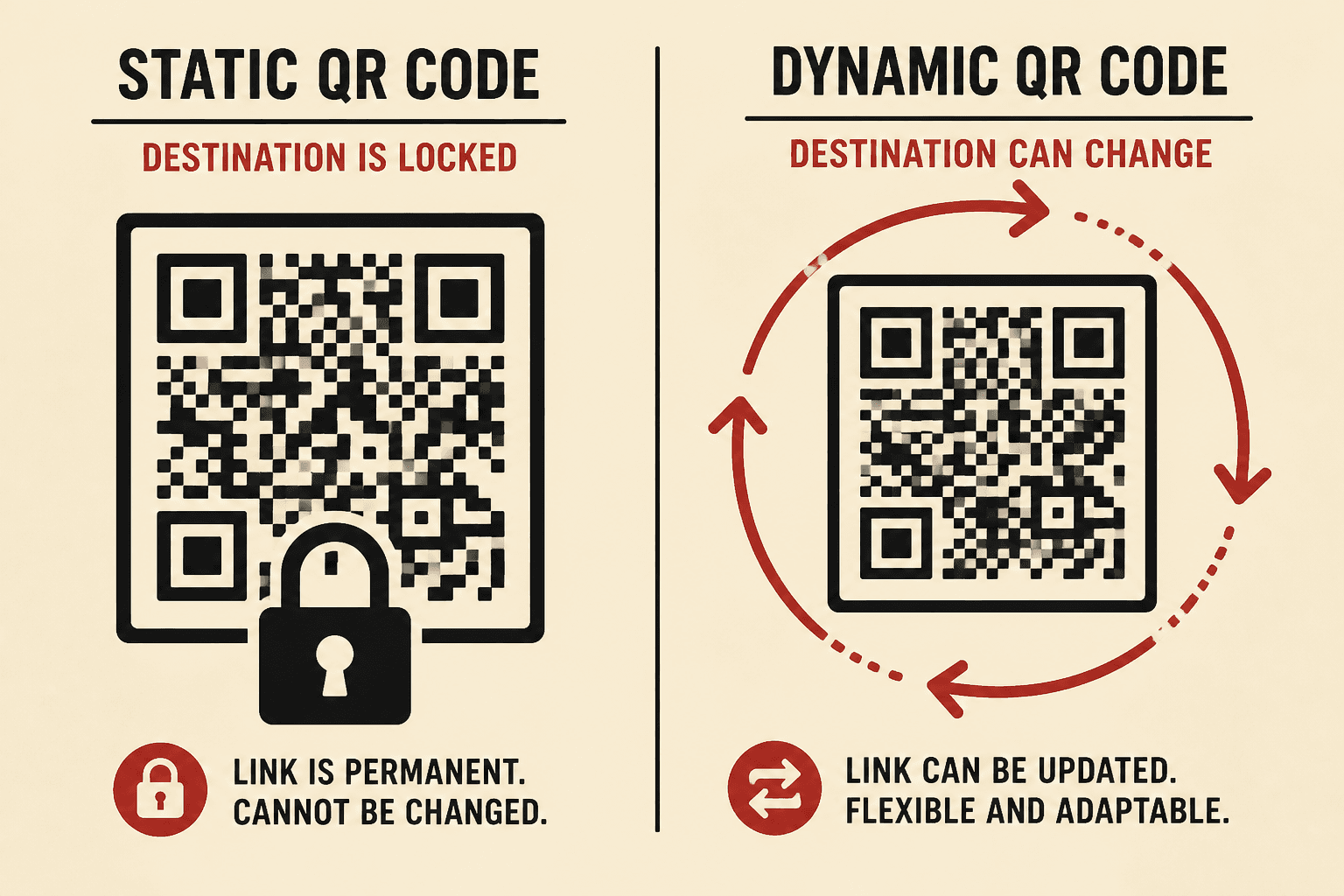
Split illustration of a locked static QR code and a dynamic QR code with circular arrows

If you are about to create a QR code, you are picking a format even when the tool never says so. The static vs dynamic QR code choice is that format. I will walk you through encoding, the redirect hop, tracking, vendor dependence, and pattern density so you pick correctly the first time.

A static QR code puts the destination — or the Wi-Fi string, or the vCard — inside the pattern. A dynamic QR code puts a short URL you control inside the pattern. Same camera. Different job.

What a QR code actually encodes

A QR code is a container. The camera reads a string. That string can be a website, a WIFI: payload, a vCard block, or a short path on a generator domain. Encoding is just writing that string into modules — the black and white squares.

If the string is the final thing the phone should use, you made a static QR code. If the string is a tracker URL that then redirects, you made a dynamic QR code. The generator UI looks the same either way. I always scan my own export and read the URL before I send a file to a printer.

Static QR codes: the payload lives in the image

A static QR code is the simple machine. The generator never needs to stay online. The phone decodes the payload and acts. No hop. No account. No scan history from the generator, because the phone never visited the generator.

That independence is the whole point. A Wi-Fi sticker on the fridge should still work if a SaaS company dies. A contact card that encodes a vCard does not need my servers. If the data will not change, static is honest.

The cost is permanence. Change the Wi-Fi password and the sticker is a lie. Move the website and the poster 404s. There is no dashboard fix. You print again.

Dynamic QR codes and the redirect hop

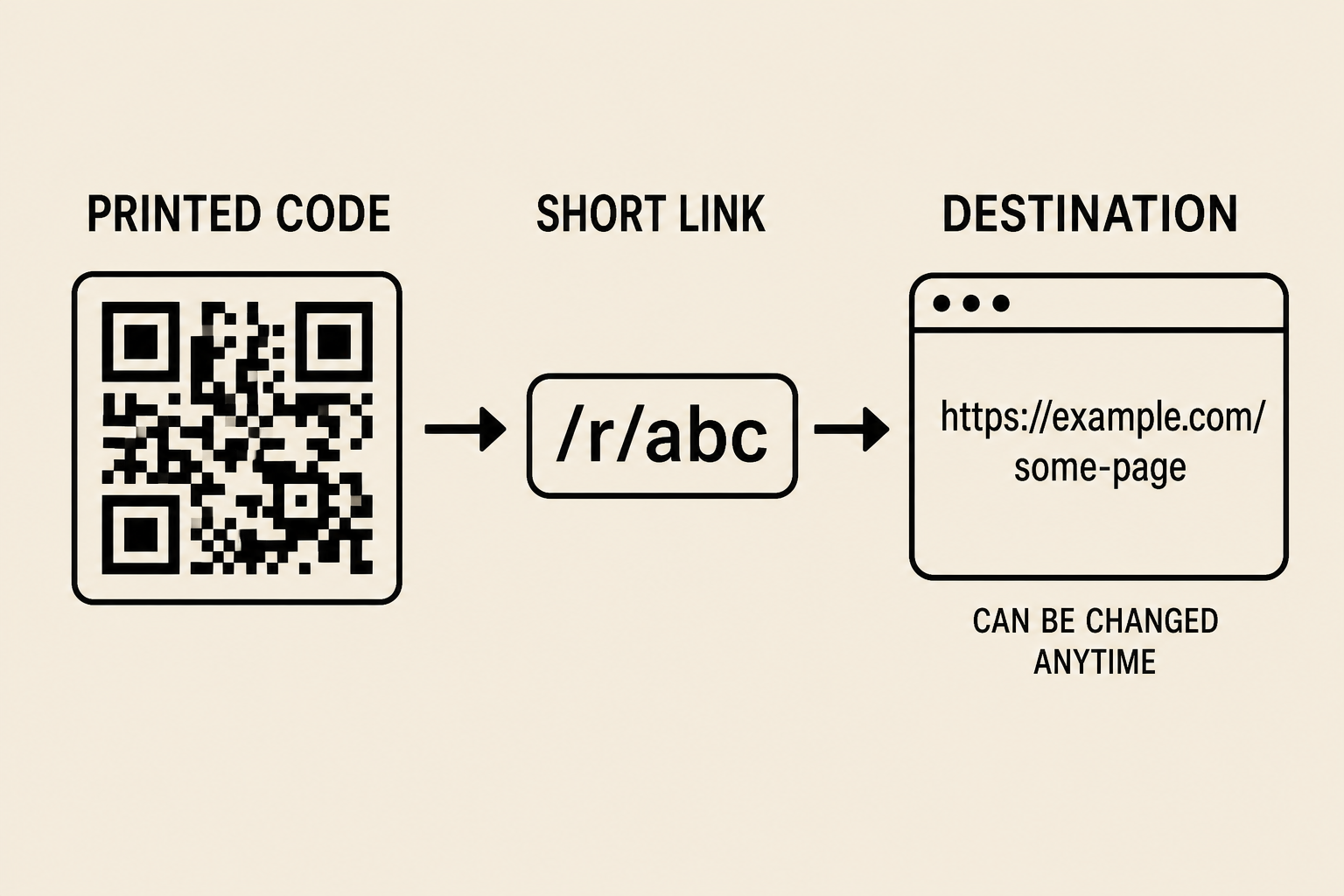
A dynamic QR code encodes a short link. On this site that is a stable /r/ path. The phone opens that URL. The server records the scan (and ignores link-preview bots), then redirects to the destination you set today.

That hop is the product. You create a QR code, print the image, and later edit the destination. The poster, box, and table tent stay the same. Only the redirect changes. That is what people mean by an editable QR code.

The hop is also the risk. If the host dies or pauses a trial, every printed square fails at once. I only take that trade when I expect the destination to move or I need counts.

Diagram of a printed QR pointing at a short link that redirects to a changeable destination URL
Printed code → short link → destination you can edit.

Side-by-side: static vs dynamic

If you came here for a static vs dynamic QR code cheat sheet, this table is it. The rest of the guide is why the rows look this way.

Static QR codeDynamic QR code
What is encodedThe final payloadA short redirect URL
Redirect hopNoneGenerator host, then your page
Edit after printNoYes — change the destination
Scan trackingNo (unless the page logs visits)Yes, on the generator
Vendor dependenceNoYes — the short link must resolve
Pattern densityGrows with payload lengthStays short if the tracker is short
Best forWi-Fi sticker, never-changing URLPrint, menus, packs, campaigns
Same scan. Different string inside the image.

Tracking: why a hop can count scans

A static QR code never phones home. The camera reads the string and opens it. The generator cannot know that happened. Pointing a static code at an analytics page mixes QR scans with every other visit, and it still cannot tell you about failed scans.

A dynamic QR code can count because the hop is a real HTTP request. Competent tools filter preview bots so a shared poster does not look like a hundred guests. If you do not need counts and you will never change the destination, do not buy a hop you will not use.

Vendor dependence: who owns the hop

Static codes do not depend on me. Dynamic codes do. You are not just picking a PNG style. You are picking a host that has to answer for as long as the print is in the world.

Read the expiry language. A free dynamic plan that dies in 30 days is a poster that dies in 30 days. I wrote why QR codes stop working because expired hops are the usual post-mortem, not a scuffed module.

Ask who owns the domain in the image. If you encode a shortener you do not control, you inherited their outage. Prefer a generator you expect to still exist. For a print-first list, see best free dynamic QR code generators.

Pattern density: why a short link scans easier

How busy the square looks grows with the payload. A long campaign URL with UTM junk makes a dense pattern. Dense patterns need more printed size, more contrast, and more quiet zone. They fail first on kraft boxes, window glare, and older cameras.

A dynamic QR code with a short tracker stays simple. The campaign URL can be long; the image only holds the short path. That is a print reason to go dynamic even when you think you will never edit. Keep static Wi-Fi and vCard payloads short if you print small.

Phone camera locked onto a printed QR code on a table tent
The camera does not care about static or dynamic. It only reads the string.

When a static QR code is fine

I use static when the payload is the point and it will not move. A Wi-Fi sticker on the guest fridge is the clean example. The phone should offer the network, not open my website. If I rotate the password, I print a new sticker.

A never-changing URL can stay static too. Your personal site on a domain you have held for a decade, printed on a one-off zine, is a fine static code.

  • Wi-Fi sticker: encode the network. The phone joins. No hop.
  • vCard or calendar: the contact or event is the payload. Reprint if it changes.
  • A URL you will never move: a permanent page, a one-off print, no need to count scans.

If you catch yourself saying "the URL probably will not change," that is not never. That is a campaign in denial. Use dynamic.

When a dynamic QR code is required

Print that outlives a CMS path needs a hop. Campaigns that swap landing pages need a hop. Anything you would otherwise reprint because marketing changed the UTM needs a hop. I default to a dynamic QR code for menus, packaging, business cards, posters, and ads.

Menus change weekly. Packs sit in pantries. Cards outlive job titles. An editable QR code is how the print survives.

  • Print runs: posters, packs, cards, tents. The image has to outlive the first URL.
  • Campaigns: swap the landing page, keep the media buy and the shelf sticker.
  • Anything you want to count or pause: scans hit the hop, so you can see them and retarget.

If that is the job, create the code as dynamic before you design the layout. Do not generate a pretty static PNG in Canva and hope. See how to create a QR code you can edit after printing.

What this site actually issues

I should be precise about this generator. A lot of "we only do dynamic" pages quietly encode Wi-Fi as static and never say so.

This site issues dynamic codes for HTTP types: link, PDF, app, images, video, social, and WhatsApp. Those images encode a short /r/ path. You can change the destination and see scan history.

Some types are static payloads in the image: Wi-Fi, vCard, text, email, call, SMS, event, and 2D barcode. There is no useful hop for join-this-network or add-this-contact. If you generate a Wi-Fi code here and later change the password, you need a new image.

So if you came to create a QR code for a campaign URL, you get dynamic. If you came for a fridge sticker, you get static, on purpose.

How I would choose

  1. Ask whether the payload will change. If yes, you need a dynamic QR code.
  2. Ask whether you will print more than a one-off. Print defaults to dynamic.
  3. Ask whether you need scan counts. Only a hop can give you those from the QR itself.
  4. Ask whether you accept a vendor in the middle. If not, stay static. Then scan the export and read the string.

That is the whole static vs dynamic QR code decision. I pick based on whether I can live with the string that is about to be ink.

Mistakes that lock you into the wrong format

  • Using the first free generator in search. Many bake a static URL and call it a day.
  • Printing a "free" dynamic code that expires. The format was right. The contract was not.
  • Assuming Wi-Fi or vCard can be edited later. Those are payloads, not redirects.
  • Skipping the scan test. You only learn the format when a phone reads the string.

A printed static code cannot be repaired. A dynamic code can, if you still control the short link. For the next run, create a QR code with the hop already in the image — or print a static sticker on purpose.

FAQ

What is the difference between a static and a dynamic QR code?

A static QR code stores the final content in the pattern. A dynamic QR code stores a redirect URL. You can change where a dynamic code goes after printing and usually see scan counts. The camera experience is the same.

Can I edit a static QR code after I print it?

No. The payload is already in the image. If the Wi-Fi password or URL changes, you generate a new code and print again. An editable QR code has to be dynamic from the start.

Are dynamic QR codes less reliable than static ones?

They depend on the redirect host. A good host is as reliable as any short link. The reliability problem is a generator that expires free codes, not the QR format itself.

Can people tell a dynamic QR from a static one by looking?

No. They scan the same way. The difference is the string inside. Scan it and read the decoded URL. A long campaign page is static. A short path on a QR vendor is dynamic.

Does this site create static or dynamic QR codes?

HTTP types (link, PDF, app, images, video, social, WhatsApp) issue dynamic short links you can edit and track. Wi-Fi, vCard, text, email, call, SMS, event, and 2D barcode encode a static payload in the image.

Related guides